3281 E. Guasti Rd, STE 700, Ontario, CA 91761
1712 9th Ave SW, Watertown, SD 57201
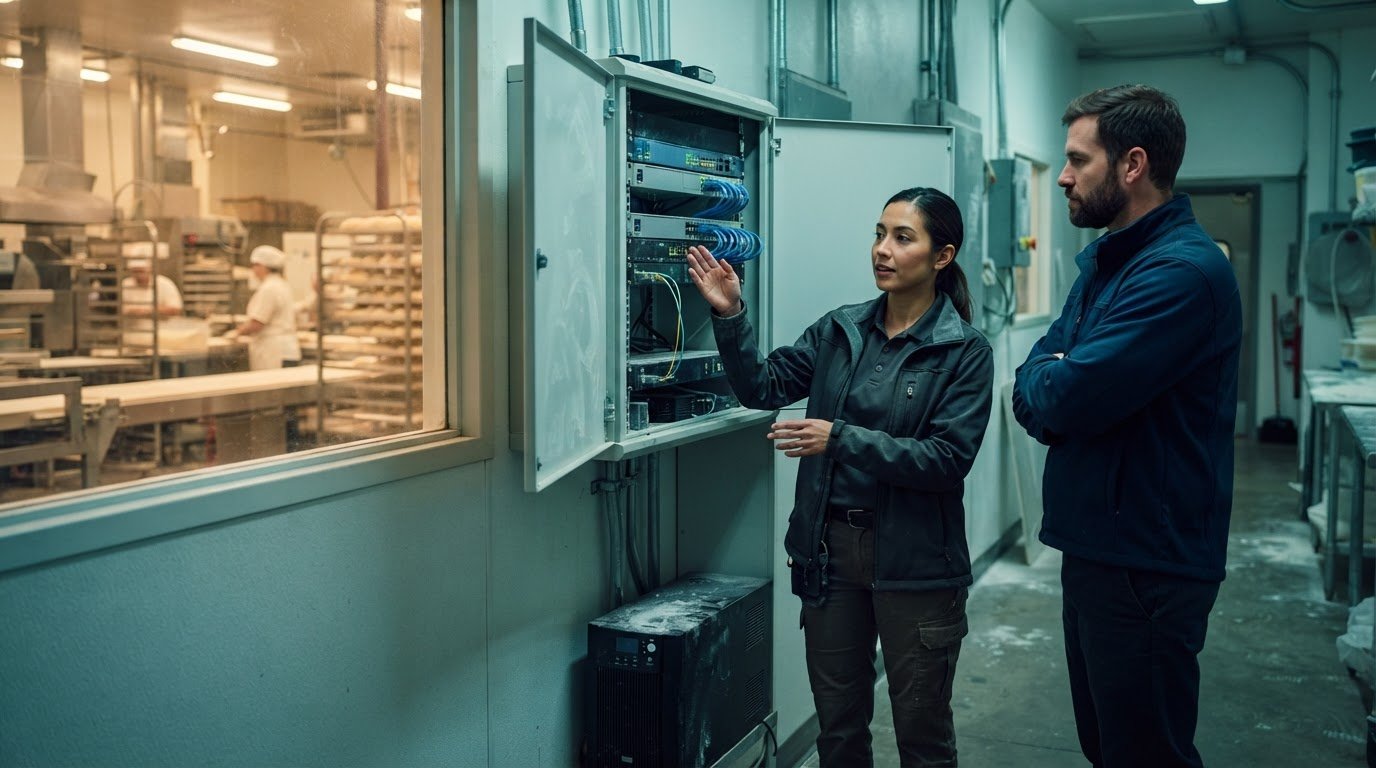
A help desk that never closes is only useful when someone can act on the issue. IT support for businesses that operate 24/7 can use internal shifts, an outside support partner, follow-the-sun teams, or a hybrid model that routes routine requests and escalates critical incidents to in-house specialists. One continuously staffed seat requires 168 staffed hours per week, so coverage design matters as much as availability.
After-hours outages, production interruptions, and unanswered alerts can put business continuity at risk. The right setup gives your team a clear handoff, defined escalation paths, and support matched to the systems and work that must keep running. This article explains how the main coverage models differ, how they connect with internal IT teams, and how always-on support can help limit disruption when a problem lands outside business hours.
• Match internal, outsourced, co-managed, or follow-the-sun support to the systems and hours your operation depends on.
• Set clear escalation paths, handoff notes, and ownership so outside support and internal specialists can work together.
• Connect support coverage to your continuity plan, including how teams respond when an outage happens during a closure.
• See how Business VoIP can support reliable business communications as part of your coverage plan.
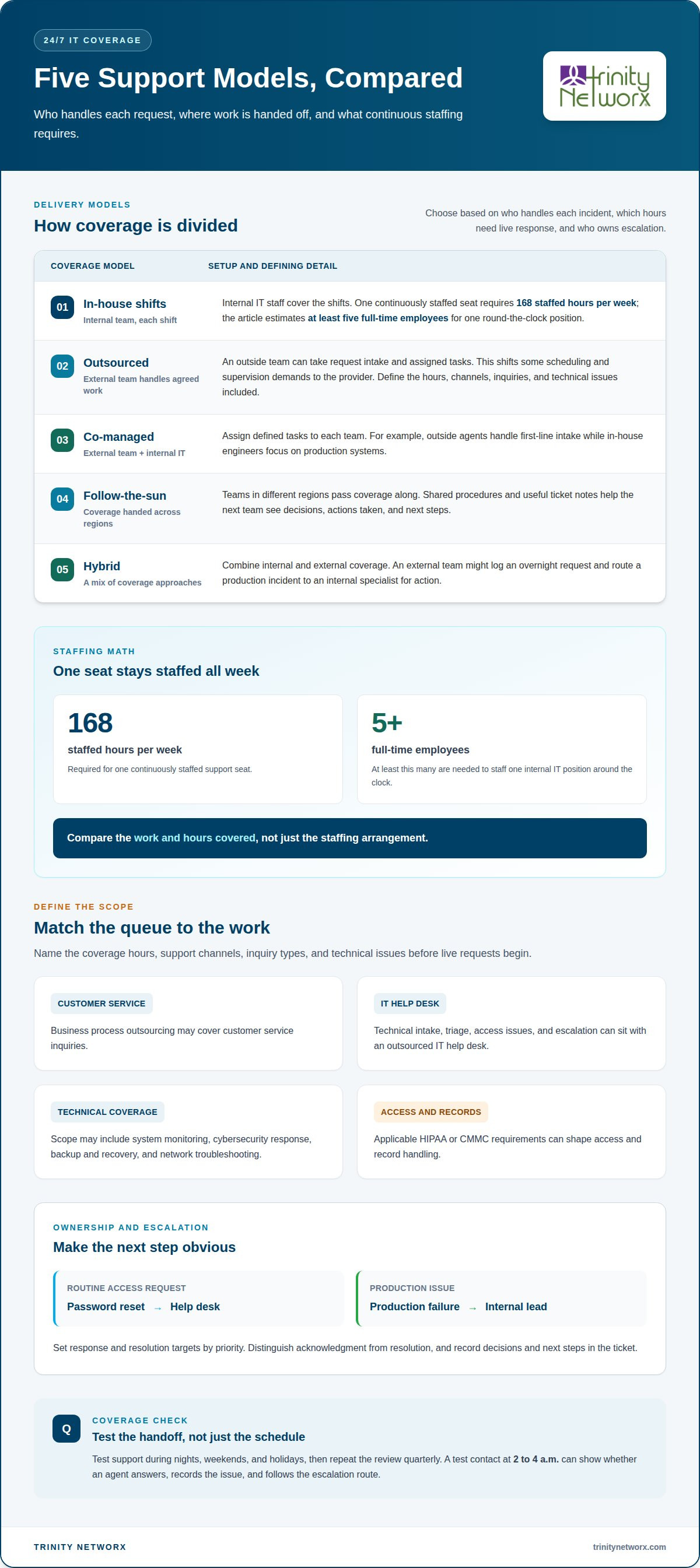
Choose coverage by deciding who handles each incident, which hours need live response, and who receives escalations. For manufacturers, IT support for businesses that operate 24/7 should match support tasks to production priorities.
Outsourced support assigns request intake and agreed tasks to an external team; co-managed support shares responsibilities with internal IT. Follow-the-sun teams hand off coverage across regions, while in-house teams staff each shift. A hybrid model combines approaches. For example, an external team might log an overnight request and route a production incident to an internal specialist for action.
Staffing costs reflect shift coverage, absences, supervision, and training. One internal IT support position around the clock requires at least five full-time employees, covering 168 hours in a week. Outsourced coverage shifts some scheduling and supervision demands to the provider; co-managed support assigns defined tasks to each team. Compare the work and hours covered, not just the staffing arrangement. For a plant with internal engineering staff, outside agents could take first-line intake while engineers focus on production systems.
Coverage scope names the hours, channels, inquiries, and technical issues handled. Business process outsourcing may cover customer service, while an outsourced IT help desk manages technical intake, triage, access issues, and escalation. IT support for businesses that operate 24/7 may include system monitoring, cybersecurity response, backup and recovery, and network troubleshooting. Applicable HIPAA or CMMC requirements can shape access and record handling. Assign ownership for each queue, such as routing password resets to the help desk and production failures to an internal lead.
Round-the-clock coverage requires clear ownership, useful handoffs, and support channels employees can reach outside business hours. Define these operating rules before the team begins handling live requests.
Integration connects external agents with internal specialists through shared procedures, ticket records, and escalation rules. A central knowledge base gives each shift a consistent source for answers, while named internal owners take complex incidents. Record decisions and next steps in the ticket, not just in a chat. Self-service guides and online communities can answer routine questions, and scheduled training with quality reviews helps keep service consistent without placing every after-hours issue on the same employees.
Service levels explain how each channel handles requests and when a case moves to another team. Live chat can capture an urgent access problem; email can document an issue that needs investigation. Set response and resolution targets by priority, then identify who owns outages, security alerts, and production interruptions. Distinguish acknowledgment from resolution so employees know what action has started and what remains.
Assess coverage by testing support during nights, weekends, and holidays, then repeat the review quarterly. A test contact at 2 to 4 a.m. can show whether an agent answers, records the issue, and follows the escalation route. Measure response and resolution times, reopened tickets, and handoff quality by channel. Compare results across shifts to spot gaps and uneven workloads. Discuss your coverage needs and how support can fit your operating schedule.
Continuous coverage helps teams respond while production, communications, or facility systems are in use. For manufacturers and construction firms, planning must account for business systems and the physical network infrastructure that supports work across sites.
Business continuity keeps essential work moving during outages or closures. A single unstaffed hour each weekday adds roughly 250 hours of exposure a year. At a manufacturing site, a network fault can disrupt production systems and delay order processing. Recovery plans should identify which systems need priority attention and who coordinates response. Commercial structured cabling and fiber optic installations also matter: physical network faults can interrupt connectivity, so infrastructure planning belongs in continuity discussions.
Businesses operating around the clock need support that reflects how their sites function. Manufacturers may run production lines across shifts; construction teams coordinate field operations, offices, and project sites. Warehouses and supply-chain organizations also rely on connected systems across locations. WiFi infrastructure build outs and maintenance can help keep staff connected where work happens, while clear support procedures give employees a way to report faults after hours.
Operational resilience means maintaining or restoring priority services during a disruption. Business continuity establishes recovery priorities; resilience also requires monitoring, practiced response roles, and workable alternatives. If a site network fails, for example, a documented fallback communication channel can help teams coordinate while technicians assess the problem. Facility plans should account for cabling routes, wireless coverage, and the systems that depend on each connection.
Emergency response links detection, containment, communication, and recovery. Organizations should define who can isolate affected systems, preserve incident details, and authorize recovery from backups. Pair cybersecurity and data recovery procedures with a clear escalation path, and include network infrastructure faults in exercises. Data backup and disaster recovery planning can help structure that work. Discuss continuity planning for your operations.
Trinity Networx provides Business VoIP for companies that rely on clear communication across shifts, offices, and operating sites. In manufacturing, communication gaps can slow coordination among production staff, supervisors, and dispatch teams. A planned voice service can support continuity alongside clear incident contacts and escalation procedures.
If coverage planning reveals gaps in how employees reach one another during outages or after-hours incidents, include communication paths in the broader IT plan. Managed IT Services, Cybersecurity Solutions, and Data Backup & Recovery can address related technology, security, and recovery needs. The right combination depends on your systems, workflows, and continuity priorities.
Contact Trinity Networx, LLC to discuss your business communication and continuity needs.
Use the next planning cycle to map technology dependencies to production priorities: which systems halt work, who owns recovery decisions, and how teams communicate when normal channels fail. That exercise turns a support plan into an operating model staff can follow during a disruption. IT support for businesses that operate 24/7 works best when its scope aligns with the hours, systems, and workflows the operation depends on.
Trinity Networx supports this work through Managed IT Services, Cybersecurity Solutions, and Data Backup & Recovery. Together, these services connect day-to-day IT support with protection and recovery planning, particularly when production technology and business systems depend on one another. Bring operations and IT leads together to assign ownership, document priorities, and update the plan as equipment and production schedules change.
Talk with Trinity Networx about your support priorities, and take a clear next step toward a plan your team can put into practice.
Businesses can provide round-the-clock customer support with their own staff or through outsourced support firms. Managed IT providers handle a different need: technical issues such as account access, network faults, or system alerts. Trinity Networx provides 24/7 helpdesk and support for approved clients and emergencies, helping organizations whose operations depend on business technology beyond standard office hours.
24/7 technical support means a channel remains available to report IT problems at any time, including nights, weekends, and holidays. For example, a plant employee can report a workstation fault during an overnight shift instead of waiting until the office opens. Coverage details matter: a service may accept a ticket at all hours while reserving complex repairs for specialist escalation.
Live agents can interpret unfamiliar symptoms and ask follow-up questions when an automated process reaches its limits. If a production terminal displays an unexpected error, an agent can record the device, location, and business impact before routing the case. Automation can still gather details or direct routine requests. A strong after-hours process connects those tools to a person who can assess the next step.
Yes. A business can start with evening or weekend coverage for its most disruptive issues, then expand the schedule as demand becomes clearer. Track which incidents arrive after closing, how quickly employees need acknowledgment, and which cases require a specialist. Those patterns can guide coverage planning without treating every request as equally urgent or requiring the same staffing.
Support begins when a user reports an issue or monitoring identifies one; the team records, prioritizes, and assigns it. Response time measures acknowledgment, while resolution time tracks how long it takes to restore service or complete a fix. Trinity Networx states a < 20-minute response time and 24/7 helpdesk support for approved clients and emergencies. Contact Trinity Networx to discuss support.

Article by
Lance Reichenberger, Ph.D.., J.D. (Candidate)
Dr. Lance Reichenberger is the founder of Trinity Networx, a Southern California technology firm specializing in managed IT services, cybersecurity, network infrastructure, and business technology strategy. With nearly four decades of experience in the IT industry, he works with businesses to improve operational efficiency, strengthen security, and align technology with long-term growth objectives.
Lance focuses on proactive IT management, enterprise wireless infrastructure, cybersecurity integration, and scalable technology solutions for growing organizations throughout Southern California.
The content published on this website is provided for general informational and educational purposes only. Articles may be created, edited, or enhanced with the assistance of artificial intelligence and automation tools under the direction and review of Trinity Networx. While every effort is made to ensure accuracy and relevance, the information provided should not be considered professional, legal, financial, cybersecurity, or technical advice specific to your organization. Businesses should consult directly with a qualified professional regarding their unique environment, compliance requirements, and operational needs. Trinity Networx makes no warranties regarding completeness, reliability, or applicability of the information contained within these articles.
Schedule a brief conversation with Trinity Networx to discuss your business technology needs.
Get a practical roadmap built around your business, your users, your systems, and the technology issues that need attention first.
Put the right technology, support, security, and infrastructure in place so your business can grow, adapt, and move forward with confidence.