3281 E. Guasti Rd, STE 700, Ontario, CA 91761
1712 9th Ave SW, Watertown, SD 57201
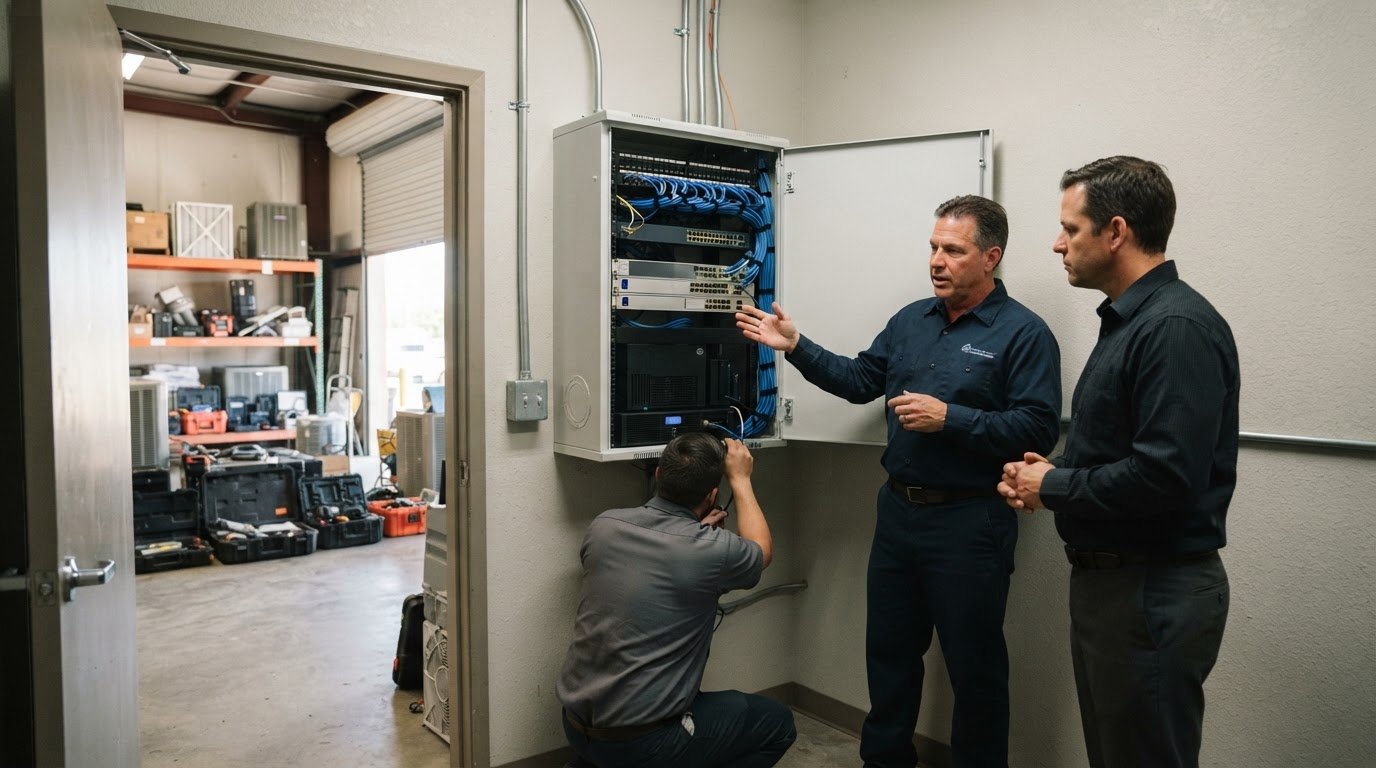
A virtual CIO does more than keep computers running. To understand what a virtual CIO does for a small business, look at how the role sets technology priorities, guides investment, and connects IT decisions to business goals. For a California company, that can mean mapping upgrades over two to three years while keeping continuity and recovery in view.
It’s easy to treat technology planning as something to deal with the next time something breaks. But decisions about systems, security, backups, and growth affect how well a business can keep operating through disruption. This article explains a virtual CIO’s strategic role, how it differs from managed IT and a full-time CIO, and how that guidance can support continuity. You’ll also see when the role can help, especially when technology decisions are stacking up faster than your team can assess them.
• Use business goals to rank technology projects and shape spending priorities.
• Separate strategic IT leadership from daily support when assigning responsibilities.
• Map how essential operations can continue and recover when systems are disrupted.
• Consider managed IT, cybersecurity, backup and recovery, or co-managed support when your team needs help carrying out its technology plans.
A virtual CIO gives a business strategic technology leadership without taking over daily technical work. For a growing Texas company, that means connecting technology decisions to operations, priorities, and planned growth.
IT strategic planning aligns technology priorities with business goals, staffing, and operational needs. A virtual CIO reviews current systems, guides an internal IT team, and helps determine which initiatives should proceed, wait, or stop. This lets leaders weigh trade-offs before committing time and resources. For example, a manufacturer choosing between production software and a network upgrade can rank each project by its impact on workflows and business plans.
A technology roadmap sequences systems work and upgrades against business goals, often looking one to three years ahead. It can account for a growing workforce, aging hardware, software lifecycles, and dependencies between projects. A company planning to add 20 employees over the next two years can map capacity needs before expansion creates pressure on operations. The roadmap can also schedule technology upgrades across the next two to three years. Texas firms can connect planning to day-to-day business needs through this general business IT services overview.
IT budgeting ties proposed spending to priorities, timing, and the expected business need. A virtual CIO can shape the annual IT budget, support project choices with cost figures, and build a rolling forecast covering 3 years. That view helps leaders see when hardware or software lifecycle needs may compete with growth projects. Instead of treating each request as an isolated purchase, decision-makers can compare its timing and operational value against the roadmap.
Choose a virtual CIO for strategic leadership, clear communication, and advice tied to your business priorities. The benefit is senior technology guidance without a full-time executive role. A vCIO does not replace daily support or hands-on technical work.
A vCIO is a part-time technology leader who guides strategy, projects, and vendor decisions. A managed IT provider handles operational work such as help desk support, patching, monitoring, and backups. A full-time chief information officer leads technology as an internal executive. These roles can work together: the vCIO sets direction while a provider keeps systems running.
Some businesses receive vCIO guidance alongside managed IT services. Clearly define the distinction between strategic leadership and daily service, including the time devoted to planning and reviews. This helps internal staff, the provider, and the vCIO coordinate projects without blurring responsibilities. For example, leadership can approve a hardware replacement plan while technical staff handle implementation.
A vCIO reviews technology risks and helps leaders prioritize security and compliance work in light of business needs. This may include examining security controls, identifying gaps, and setting priorities for the organization’s systems. The vCIO provides direction; the assigned IT team or provider carries out operational tasks. This division connects risk decisions to practical work instead of treating cybersecurity as a separate technical concern.
Look for an advisor who can explain trade-offs in plain language, coordinate with your team, and connect recommendations to operations. Confirm that the agreement defines strategic duties separately from support tasks. A vCIO suits businesses needing direction but not a full-time technology leader; it is less suited to needs centered on daily, hands-on support. To discuss how strategic guidance fits your IT environment, connect with the team.
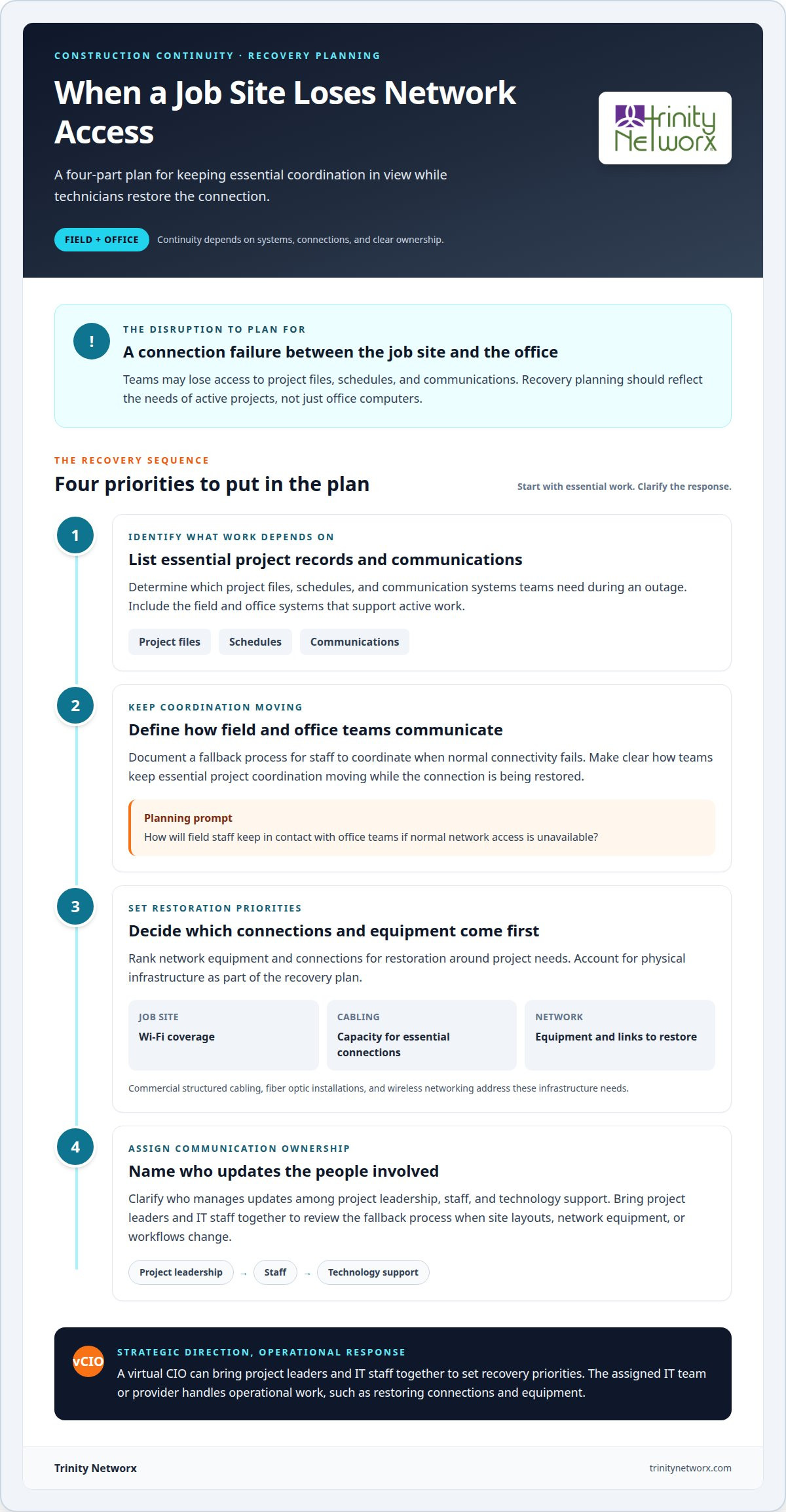
For a construction business, continuity means more than restoring office computers. A connection failure between a job site and the office can disrupt access to project files, schedules, and communications. A virtual CIO can help leaders identify which field and office systems support active work, then set recovery priorities around project needs.
When a disruption starts in the physical network, construction-specific technical expertise matters. Weak jobsite Wi-Fi coverage or cabling that cannot support essential connections can leave teams without reliable access. Commercial structured cabling, fiber optic installations, and wireless networking address these infrastructure needs. Continuity planning should account for these systems in the recovery process.
A practical plan can clarify:
• Which project records and communication systems teams need during an outage.
• How field staff keep coordinating with office teams if normal connectivity fails.
• Which network equipment or connections should be restored first.
• Who manages updates among project leadership, staff, and technology support.
For example, if a job site loses network access, a documented fallback process can help teams keep essential coordination moving while technicians restore the connection. The vCIO can bring project leaders and IT staff together to review that process when site layouts, network equipment, or workflows change. This keeps recovery planning relevant to how construction work runs, rather than leaving it as an office-only document.
Discuss continuity planning for your construction operations.
Trinity Networx helps small businesses turn technology priorities into practical support for daily operations. If your internal team needs help carrying out plans or managing IT demands, Managed IT Services and Co-Managed IT can support that work. Cybersecurity Solutions and Data Backup & Recovery help address security and recovery needs that affect business continuity.
For a manufacturer, this can mean coordinating support for business systems while keeping security and recovery in view. The right mix depends on where your team needs help, whether that’s ongoing IT management, extra capacity for internal staff, or stronger backup and security planning.
Contact Trinity Networx, LLC to discuss your business technology needs.
Understanding what a virtual CIO does for a small business can help you identify where technology leadership would make a difference. Start with a decision that keeps getting delayed: a system change, an unclear area of ownership, or a recurring interruption to work. Name who is responsible for moving it forward, then connect the decision to the operation it affects. This gives your next conversation a clear starting point.
For a business in California, Nevada, Arizona, or Utah, technology planning should reflect how teams work across offices, job sites, or production environments. Trinity Networx can discuss how Managed IT Services, Cybersecurity Solutions, and Data Backup & Recovery fit your needs. Bring the operational challenge you want to solve and the priorities your team is balancing.
Contact Trinity Networx, LLC to discuss your IT needs, and take the next step with clarity.
A vCIO helps leaders make and coordinate technology decisions. In practice, what a virtual CIO does for a small business can include reviewing vendor proposals, comparing contract terms, and identifying overlapping tools. Before renewing two similar software subscriptions, for example, a vCIO can map who relies on each and what work depends on them. Leaders can then weigh renewal options against business needs.
The cost depends on the engagement and is provided after a quote request. Factors include the scope of strategic work, how often leadership needs advisory sessions, and whether the role is paired with managed IT services. Project-based planning may differ from ongoing guidance. Comparing the responsibilities and time covered helps you assess what the engagement includes, rather than judging by the title alone.
Consider vCIO support when a major technology decision affects production, a new site, or a system migration and no one owns the full decision. For instance, a manufacturer planning a production-line change may need to coordinate software, equipment, vendor commitments, and staff workflows. A vCIO can help leadership connect those moving parts before teams commit to separate solutions.
Yes. A vCIO can help organize accurate information about your business’s security controls, backups, access practices, and incident response contacts for an application. They can also identify technical questions that need attention before submission. The insurer determines its underwriting requirements and coverage terms, while your business remains responsible for providing complete and truthful application details.
Your business may be ready if technology proposals reach leadership without a clear business rationale, ownership, or agreed way to compare them. Another signal is when staff cannot explain which systems support a key workflow or who coordinates vendors during a major change. Bring a current decision or operational bottleneck to an initial discussion to assess whether ongoing strategic guidance fits.

Article by
Lance Reichenberger, Ph.D.., J.D. (Candidate)
Dr. Lance Reichenberger is the founder of Trinity Networx, a Southern California technology firm specializing in managed IT services, cybersecurity, network infrastructure, and business technology strategy. With nearly four decades of experience in the IT industry, he works with businesses to improve operational efficiency, strengthen security, and align technology with long-term growth objectives.
Lance focuses on proactive IT management, enterprise wireless infrastructure, cybersecurity integration, and scalable technology solutions for growing organizations throughout Southern California.
The content published on this website is provided for general informational and educational purposes only. Articles may be created, edited, or enhanced with the assistance of artificial intelligence and automation tools under the direction and review of Trinity Networx. While every effort is made to ensure accuracy and relevance, the information provided should not be considered professional, legal, financial, cybersecurity, or technical advice specific to your organization. Businesses should consult directly with a qualified professional regarding their unique environment, compliance requirements, and operational needs. Trinity Networx makes no warranties regarding completeness, reliability, or applicability of the information contained within these articles.
Schedule a brief conversation with Trinity Networx to discuss your business technology needs.
Get a practical roadmap built around your business, your users, your systems, and the technology issues that need attention first.
Put the right technology, support, security, and infrastructure in place so your business can grow, adapt, and move forward with confidence.